Home > TestDrive Fundamentals > TestDrive Portal Usage
TestDrive Portal Walkthrough
The TestDrive portal is your starting point for exploring Omnissa products. In this guide we'll walk through the basics of how to use the TestDrive portal.
Before You Begin
Before you begin this guide ensure you have signed up for an account using the instructions located in Getting Started with TestDrive.
TestDrive Portal Login
Access the TestDrive portal either directly at testdrive.omnissa.com or after logging in to Omnissa Connect you can SSO into TestDrive using the TestDrive tile under Resources.
Omnissa Connect is used for all TestDrive authentication.
Your TestDrive Profile
Inside the TestDrive portal, at the top right, click into your email address to access your profile. You can make adjustments to you name and other open fields.
Here you can also: - permanently delete your account - reset your demo account password - update marketing communications
DemoZone Area
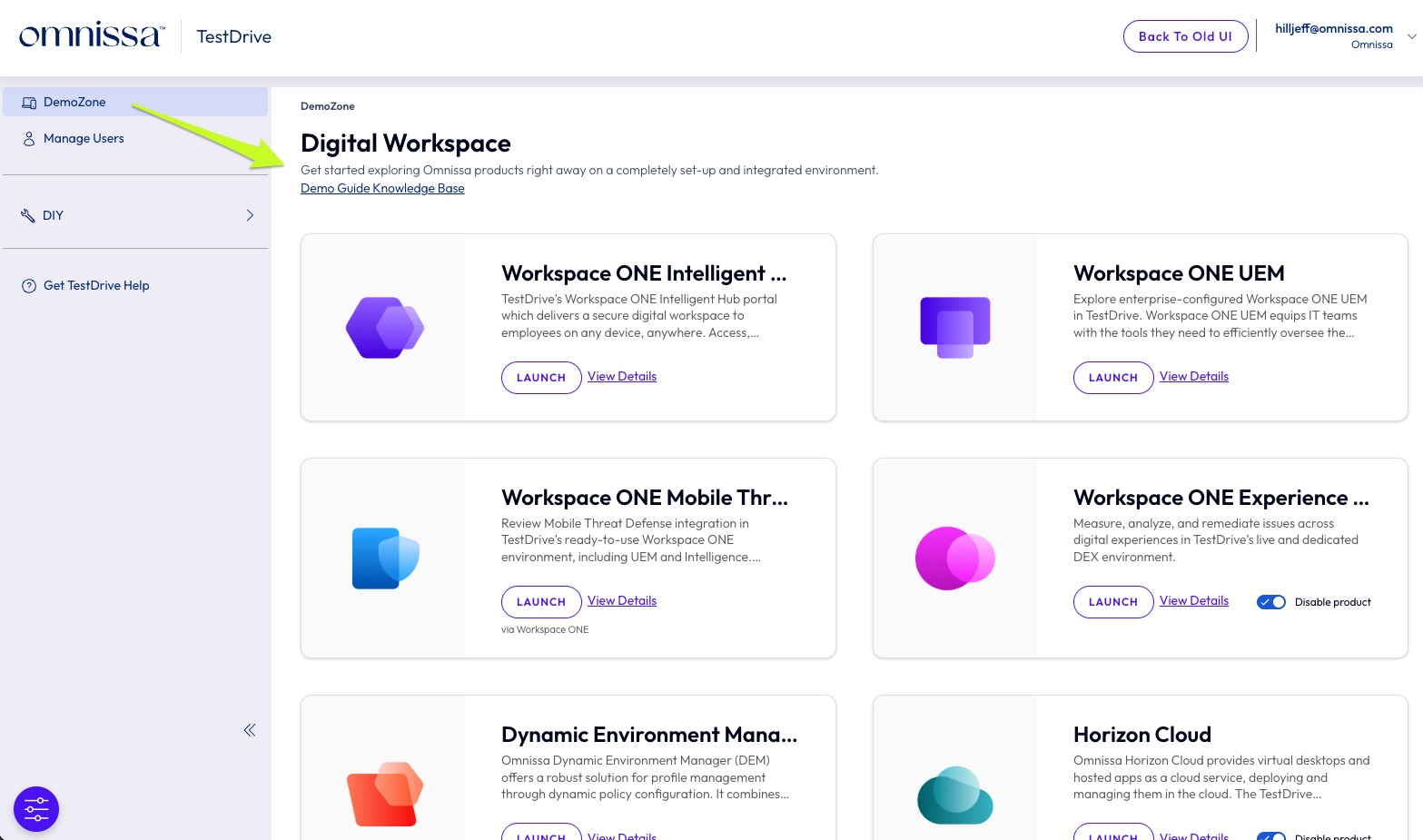
Formerly known as ready-to-use (RTU), this main area in the TestDrive portal is where the demo environments are accessed. Here you enable products, launch products, link to walkthrough guides, and view your credentials inside a tile.
-
DemoZone - Fully configured and integrated services which are maintained by the TestDrive team. We've set up sample customer workflows so you can see the products in the configured state that would be common in the real world. No configuration is required, just launch into the products and start using them.
-
Sample Integrations - These are 3rd party partner integrations that provision licenses into a TestDrive demo tenant. These integrations are available for use in the ready-to-use Workspace ONE experiences. For example, with Dropbox enabled you can SSO into Dropbox from Workspace ONE.
-
Manage Users - Only visible to partners and employees, i.e., Super Users. This is where customer invites and their accounts are managed.
DIY
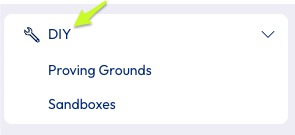
The DIY area contains do-it-yourself environments. User entitlements depend on business rules and RBAC, so not all users will have access to every sub-area. Refer to the respective guides for details.
- Proving Grounds(partners and employees only)
- Sandboxes(customers only)
Refer to the tiles--and the provided links--for environment information and access details.
Knowledge Base & Support
If you ever run into an issue, you can reach out the support team using the link on the left menu: Get TestDrive Help