Home > Proving Grounds > The Proving Ground
PG Decom
If you no longer need a PG, please help us keep a clean cloud and decommission it. When decommissioning a PG, you must deactivate the Omnissa Connect organization and the environment's Workspace ONE services through separate tasks, as deactivating the organization does not affect downstream services.
These instructions trigger destructive processes.
1. Send a "PG Decom" ticket to TestDrive.
TestDrive Engineering will set the Workspace ONE services for deletion.
- Log in to connect.omnissa.com.
- Verify you are in the Omnissa Connect PG organization.
-
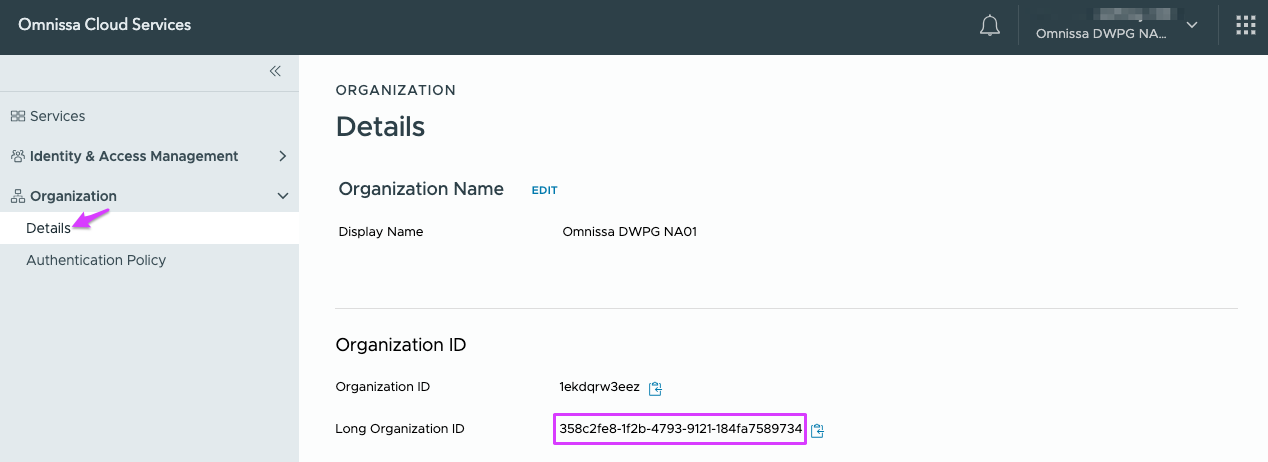
Using the left navigation, go to Organization → Details. Copy the Long Organization ID.
-
Create the TestDrive help ticket containing:
- The Long Organization ID
- The email address of the person who requested the PG.
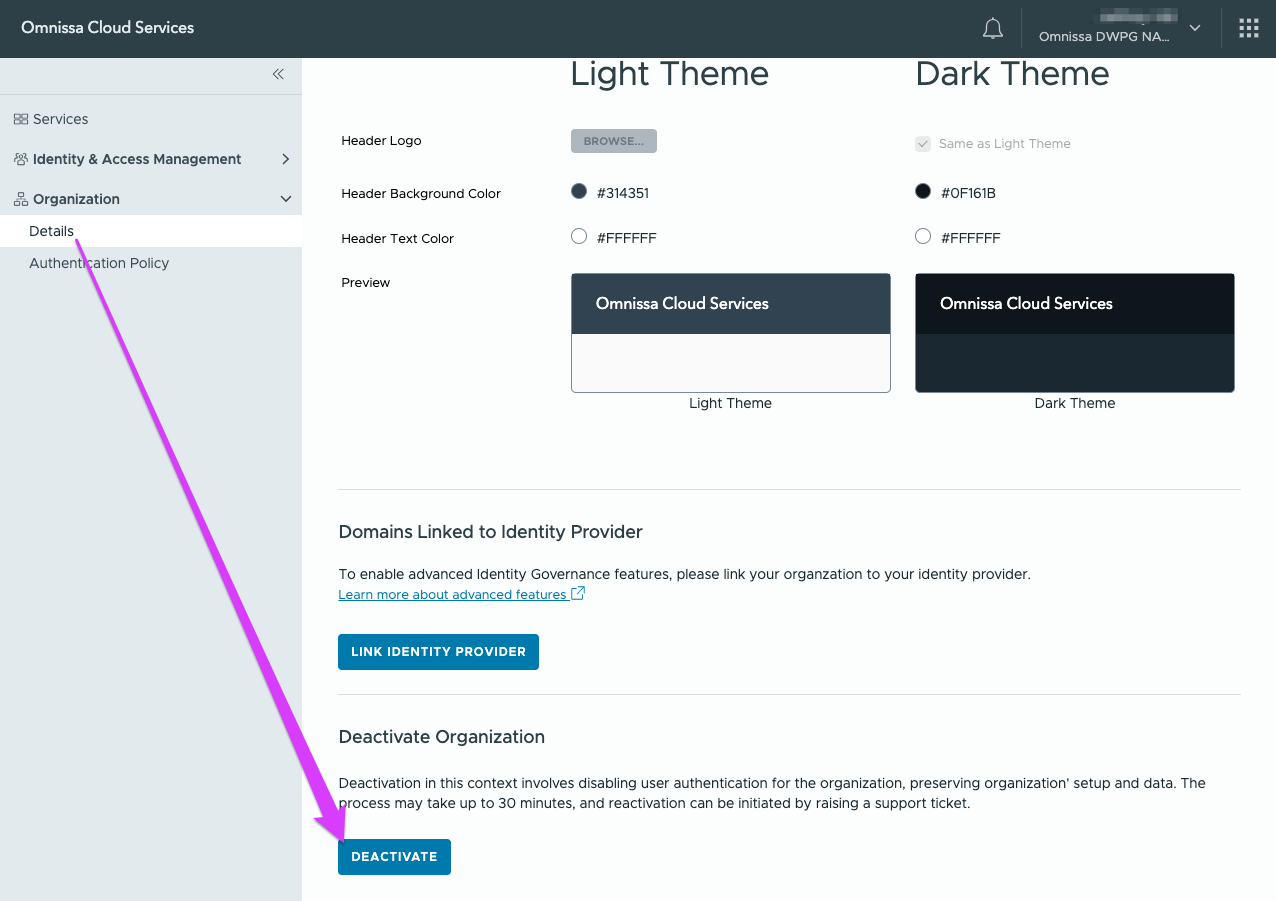
2. Deactivate the Omnissa Connect PG organization.
Omnissa Connect is upstream of the Workspace ONE services provisioned by TestDrive. Only an organization owner can deactivate an Omnissa Connect organization.
- In connect.omnissa.com, verify you are in the PG organization.
- In Organization → Details → Deactivate Organization...select DEACTIVATE.