Home > Demo Guides > Horizon
Launching Horizon Resources using HTML Access
This article will walk you through launching virtual desktops from Horizon 8 HTML Access.
Before You Begin
In order to perform the full end-to-end demo, please ensure you have the following:
- A valid account in the Omnissa TestDrive environment, sign up here if you do not yet have an account.
- Network access from your device and TCP and UDP ports 443 and 8443 enabled.
- An appropriate HTML 5 web browser, Google Chrome is preferred.
TestDrive Portal Login
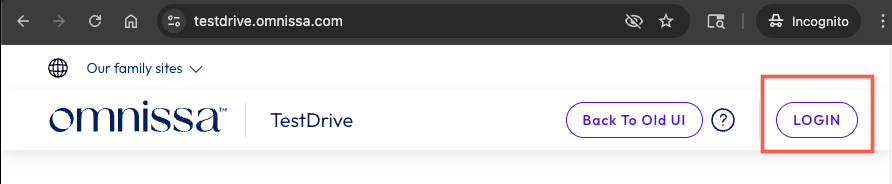
Open a browser window and navigate to the TestDrive Portal at testdrive.omnissa.com.
Log into the TestDrive portal with your Omnissa Connect Account as prompted.
Launch the Horizon HTML Access Portal
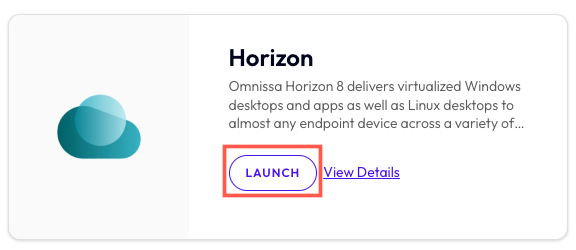
From within DemoZone in the TestDrive Portal, find the Horizon product tile, then click the LAUNCH button.
Launch the Horizon HTML Access Portal
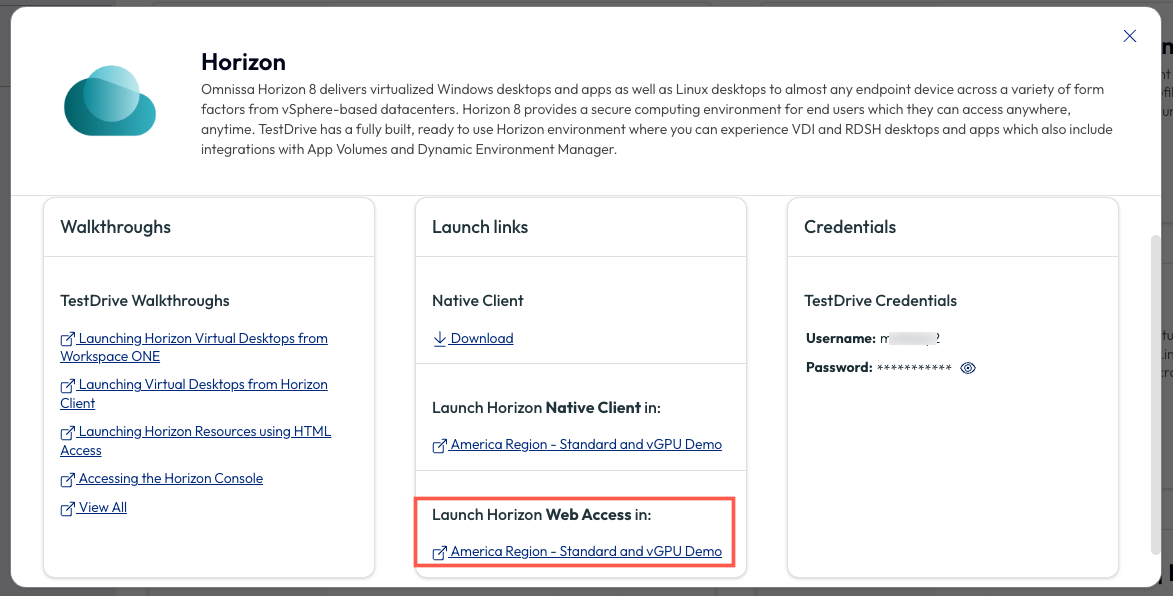
On the pop up menu, under Launch links > Launch Horizon Web Access, click on America Region - Standard and vGPU Demo.
Enter TestDrive Credentials
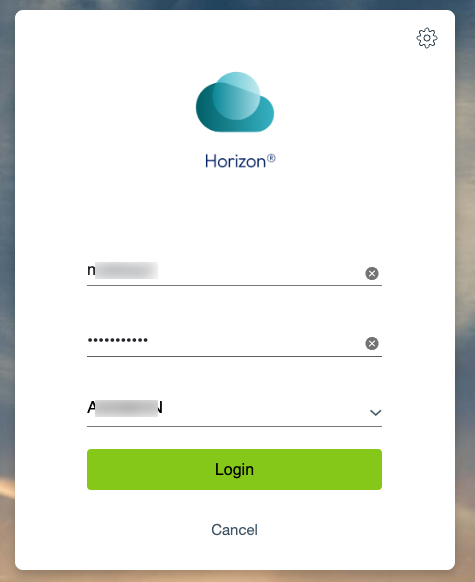
At the login screen, enter your TestDrive Credentials (visible to you in the Credentials section of the pop up menu for the Horizon product tile shown the previous step). Once you have entered your username and password, click Login.
Launch an Application
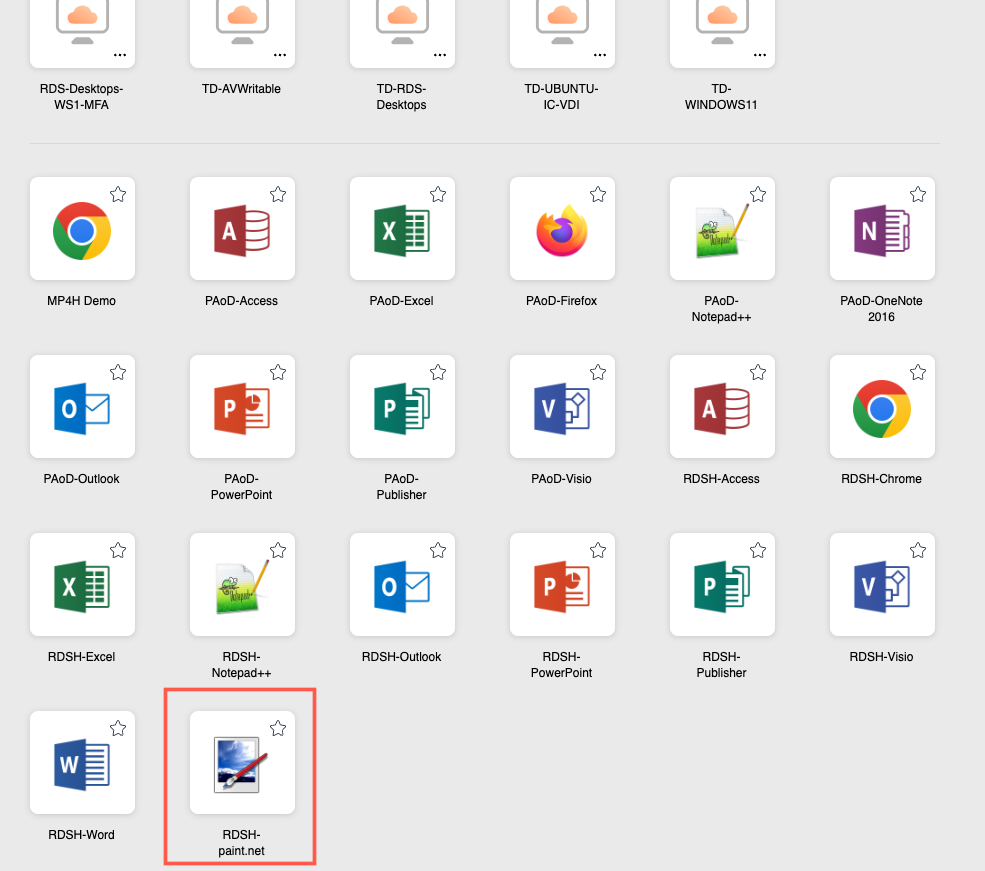
Once logged in you will see your Horizon VDI desktops and published apps available to launch.
Let's begin by launching RDSH-paint.net.
Launch an Application
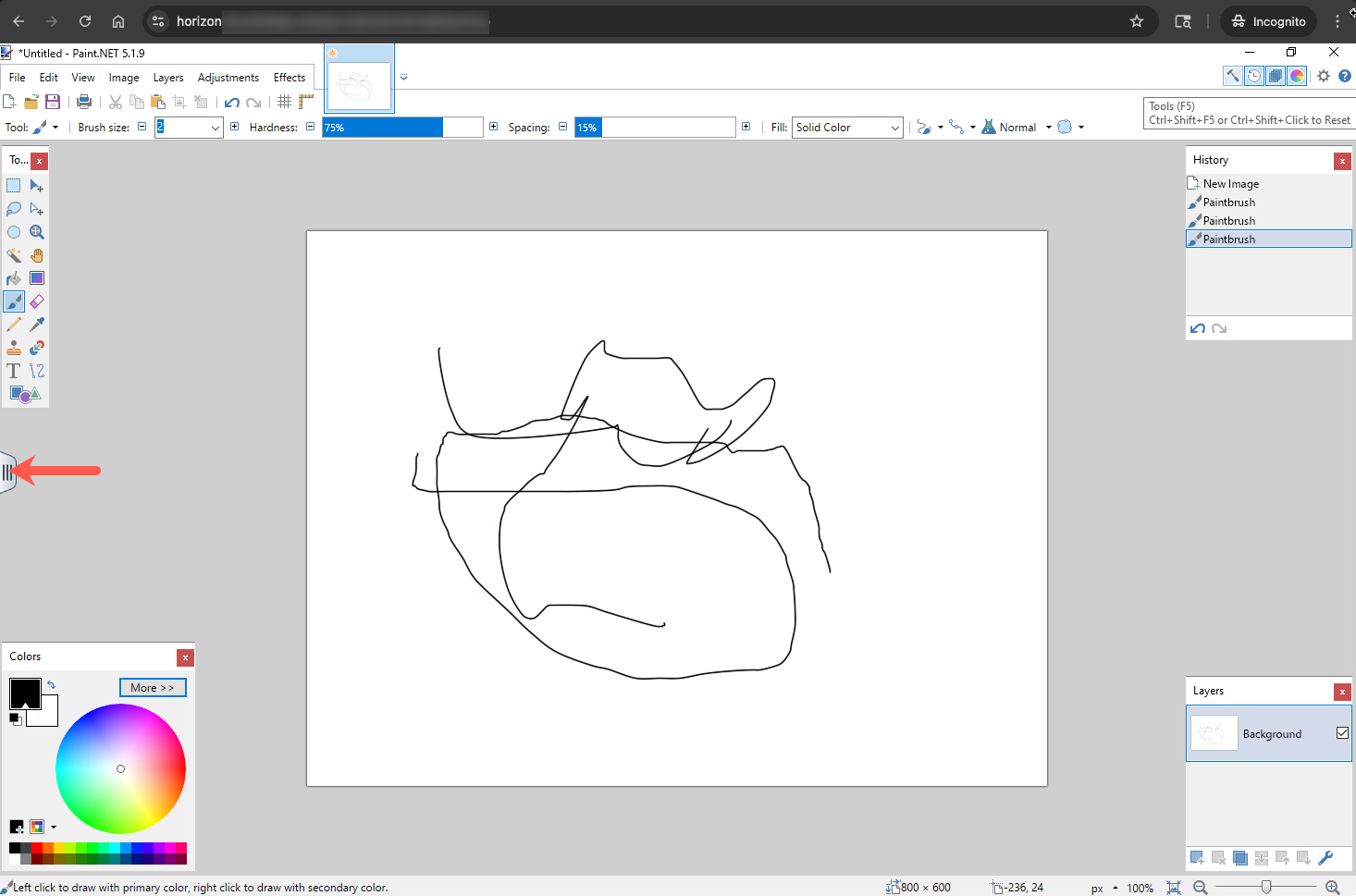
After a few moments, Paint.NET will load and you can interact with the app.
Once you're done, click on the sidebar tab to open up the HTML access UI.
Sidebar Tab
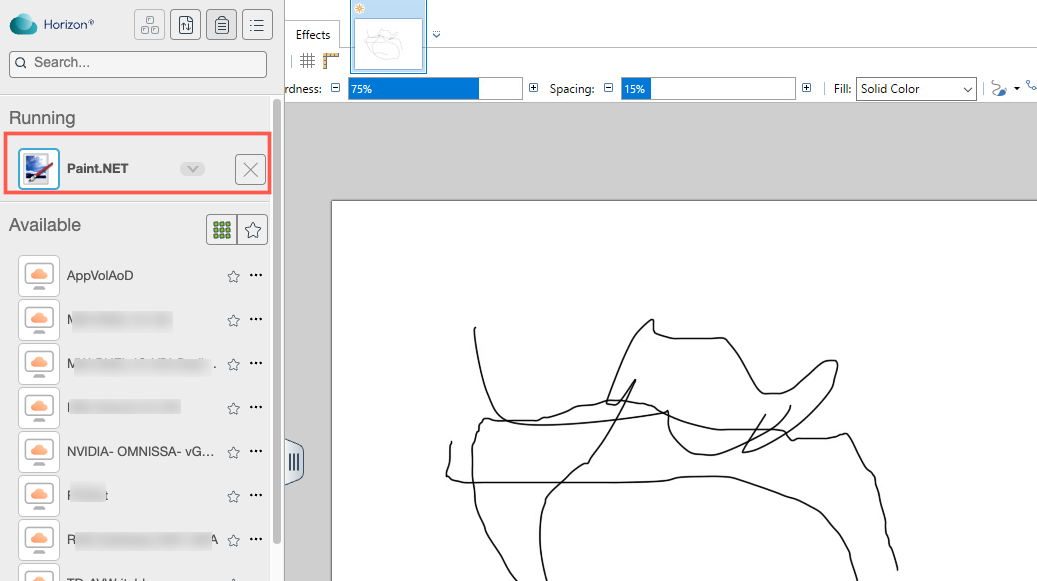
Here we can see the sidebar and the running apps (Paint.NET at the moment).
Launch Another App
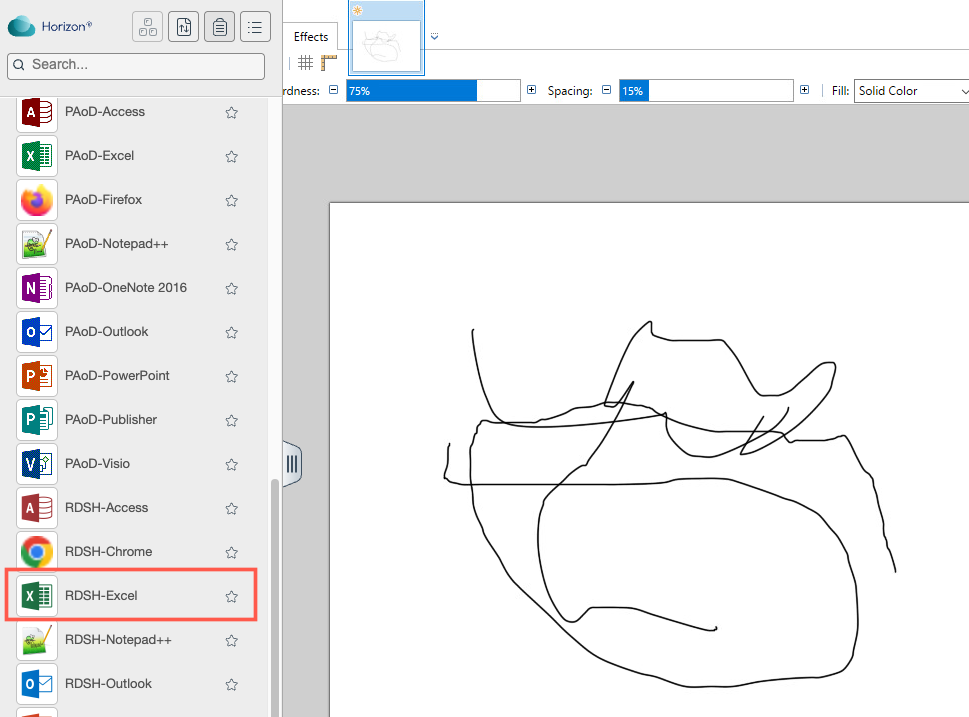
From the sidebar, you can launch other apps. Scroll down and click on RDSH-Excel.
Launch Another App
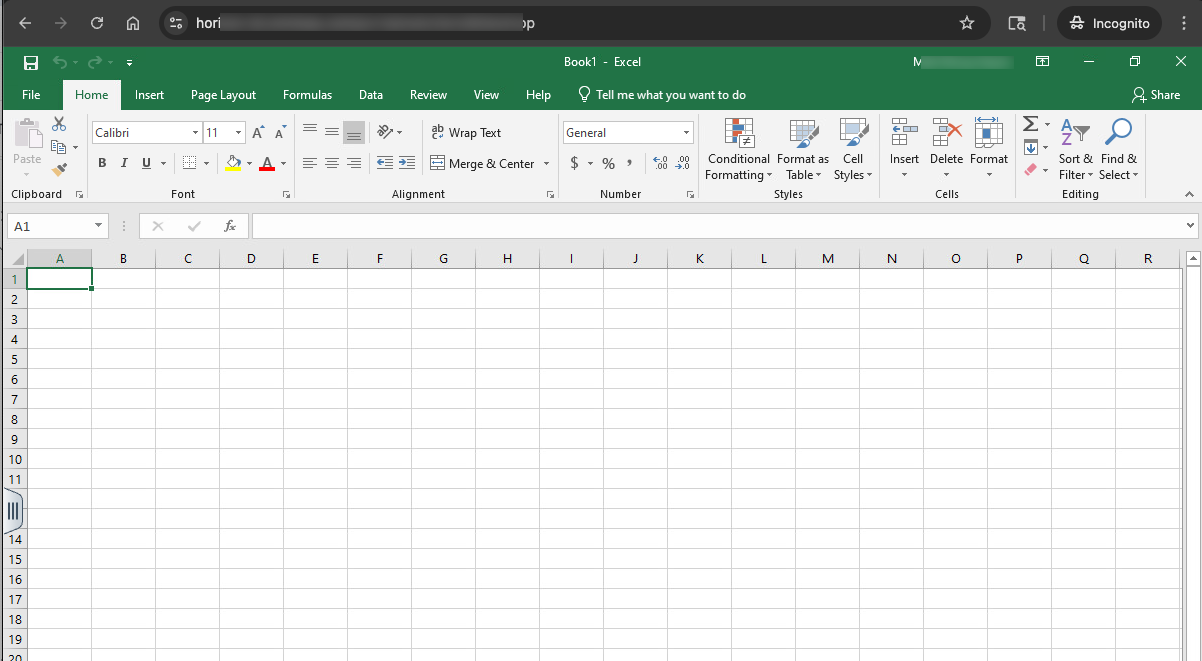
Once Excel has launched, you can play around in the app and then switch between your other running Horizon resources, all within your Chrome browser tab.
Log Out of Running Apps
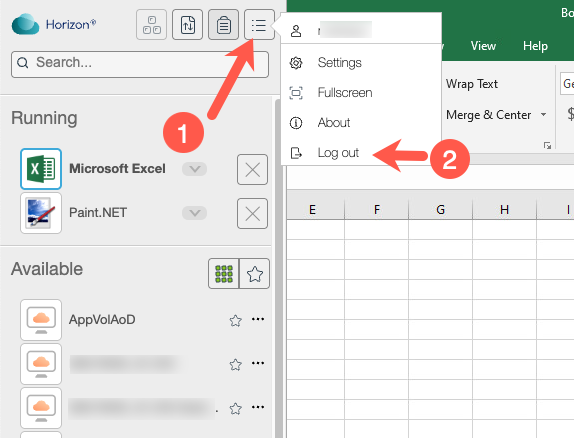
When you're done, you can select the sidebar one last time and logout of your running apps.